Top News on the web: the biggest stories, updated every 3 hours
NewsNinja Top News is now on the web at ainews.ninja/news. See the world's biggest stories, grouped by AI from major outlets, with no app or account.
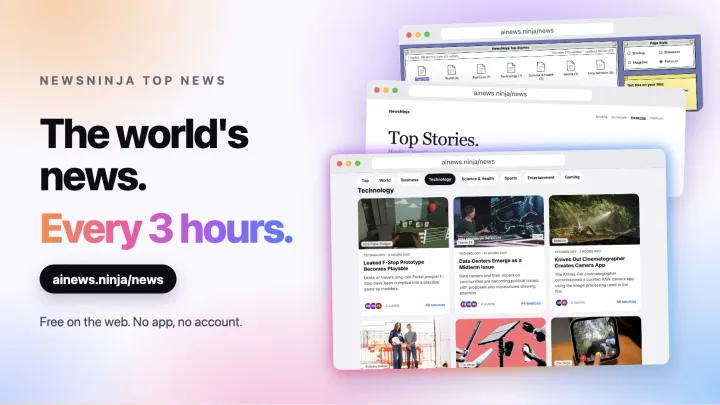
Explaining what NewsNinja does is easier when you can just show it. So, alongside NewsNinja 3.3, Top News now has its own page on the web:
Open it in any browser, on any device. There is nothing to install, no account, and no sign-up. It’s the same Top News you find in the app, so everyone can experience first-hand what NewsNinja does with the news.
The news, as stories
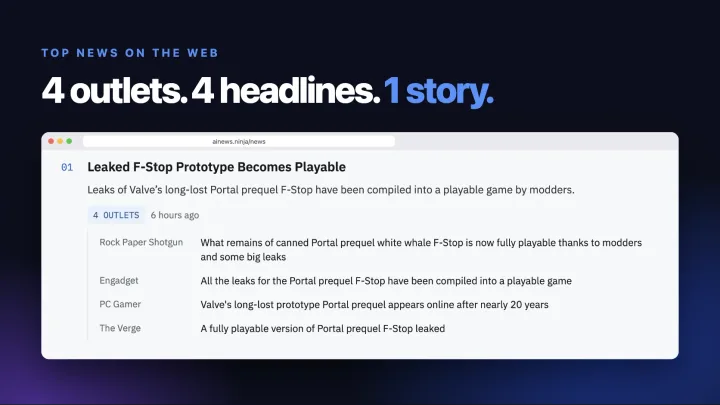
Most news sites show you one outlet’s take. Top News shows you the story.
Every 3 hours, NewsNinja reads around 80 feeds from major international outlets and groups articles about the same event into a single story. Each story gets an AI title, a short overview, and the full list of outlets that covered it, each linking to the original article. Stories covered by more outlets rank higher, and a single article on its own never makes the list.
The result is a short page that answers one question: what’s happening right now?
Topics
The page is organized in topics:
- Top: the highest-ranked stories across every topic.
- World
- Business
- Technology
- Science & Health
- Sports
- Entertainment
- Gaming
Each topic shows its biggest stories. In Sports, the selection is balanced across competitions, so one league doesn’t fill the whole list.
Updated every 3 hours
The page shows when it was last updated and when the next update is due. Each update replaces the previous one, so you always see the last few hours of news, never an endless archive.
That makes it a good page to check a few times a day, or to keep in a pinned tab.
Pick a style
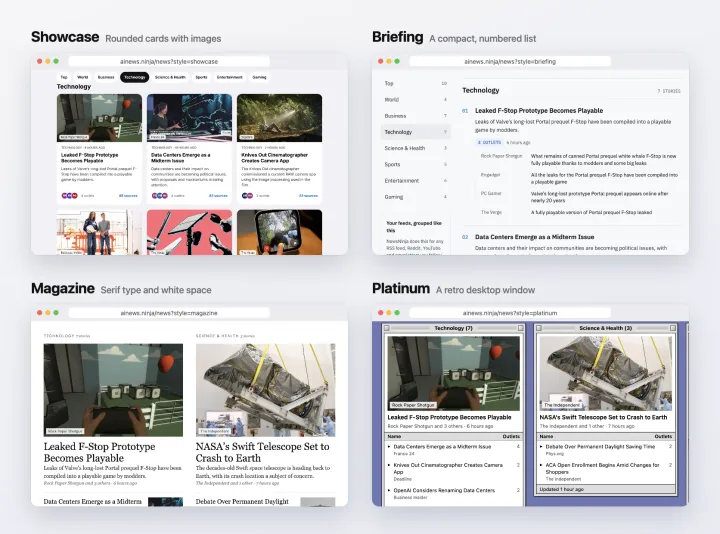
The same stories come in four styles, the same ones you’ll find in the app:
- Showcase: rounded cards with images.
- Briefing: a compact, numbered list for fast scanning.
- Magazine: serif type and white space, like a printed paper.
- Platinum: a retro desktop window.
Switch styles with the style links on the page. Your choice is remembered the next time you visit.
Headlines belong to their publishers
Top News doesn’t copy articles. Headlines and images belong to their publishers, and every headline links straight to the original article on the outlet’s website. Images are loaded from the publisher and credited to them.
Now try it with your own feeds
Top News on the web uses outlets selected by NewsNinja, and it’s in English. In the app, you get two more things:
- Top News in the Feeds tab, at the top of Discover, and on your Today dashboard, free for everyone. In languages other than English, it’s powered by Kagi News.
- Stories, the same grouping applied to your own feeds: the news sites, blogs, subreddits, YouTube channels, and social accounts you follow, all grouped into stories like these. Stories is part of NewsNinja+.
The Getting Started guide explains how Top News, Stories, and Home fit together in the app.
Open Top News on the web · Download NewsNinja on the App Store