NewsNinja for iPhone Duo: Ready from day one
NewsNinja is ready for iPhone Duo from day one. Catch up on the outer screen, then unfold to read articles, watch videos, and explore posts in more detail.
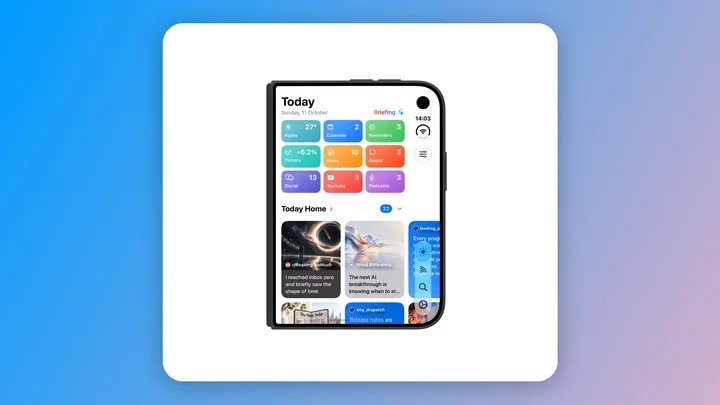
NewsNinja is ready for iPhone Duo from day one. When your new phone arrives, you can start following your favorite news, websites, videos, podcasts, and social sources with an app designed to fit both displays.
Use NewsNinja with iPhone Duo folded or open, in portrait or landscape. The layout adapts to the space available: everything fits on the compact outer screen, while the large inner screen gives your content room to breathe.
The idea is simple: catch up while folded. Unfold to go deeper.
Start on the outer screen
A quick check should stay quick. With iPhone Duo closed, NewsNinja puts your Today dashboard and feeds within reach on the outer display. Scan headlines, browse recent posts, or see what is new from the sources you follow.
That makes the outer screen a natural place to start your day or catch up between other things. You can check your news alongside the weather, calendar events, and reminders you have chosen for Today, without opening the phone every time.
The smaller display is a complete way to use NewsNinja. Read an article, open a post, or watch a video there whenever that is the screen you want to use.
Unfold when something catches your attention
Some stories deserve more than a glance. You find an article you want to read carefully, a video you want to watch, or a post whose images and discussion deserve a closer look.
Open iPhone Duo and take advantage of the larger inner display. NewsNinja adapts its layout to the expanded space, giving articles, images, videos, and posts more room. The transition from a quick overview to a closer look becomes a natural part of how you browse.
For a news reader, that is where a foldable iPhone becomes especially useful: the compact screen helps you find what matters, and the bigger screen lets you spend time with it.
Folded or open, portrait or landscape
NewsNinja supports both portrait and landscape orientations with iPhone Duo folded or unfolded. Choose the orientation that suits what you are doing, whether you are browsing your dashboard, reading a longer article, or watching a video.
The interface adjusts to the display and orientation, keeping content and controls usable on the outside screen and making use of the extra space inside. You can choose how to hold your phone around the content you want to enjoy.
Watch NewsNinja on iPhone Duo
See NewsNinja in action in this video, with a look at the experience on Apple’s foldable iPhone.
Watch the NewsNinja iPhone Duo video on YouTube.
Everything you love about NewsNinja 3, with more room
iPhone Duo support builds on NewsNinja 3, which brings a customizable Today dashboard, podcasts, and more ways to follow the web into one app.
Keep RSS feeds, Reddit communities, YouTube channels, podcasts, X, Mastodon, Bluesky, and Hacker News together. Choose Compact, Card, or Magazine layouts for your feeds, personalize the reader, and build a dashboard around the information you check most often. Availability of connected sources and services depends on their providers.
These choices work well with the way you move between iPhone Duo’s displays: get an overview on the outside, then open the phone when you want a more spacious view of your day or a deeper look at a story.
If you are setting up NewsNinja on a new phone, start with Getting Started with NewsNinja 3. You can also learn how to customize your Today dashboard and make the reading experience your own.
Ready when your iPhone Duo arrives
You do not need to wait for a later update to start using NewsNinja on iPhone Duo. Support is ready for launch day, so you can make NewsNinja part of your new phone from the beginning.
Download NewsNinja, add your favorite sources, and decide what deserves your attention. Start on the outer screen. Unfold when you want to see more.