Introducing NewsNinja 3.0: A new way to start your day
Meet the customizable Today dashboard, podcasts, more sources, and a redesigned way to discover and read what matters.
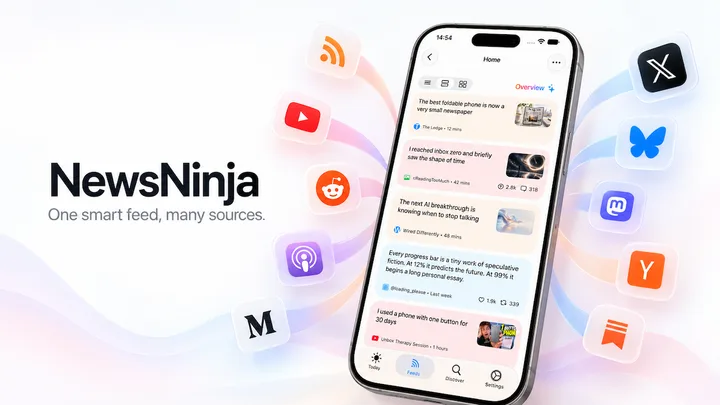
NewsNinja 3.0 brings the stories you follow and the essential information from your day together in one place.
At the heart of this update is Today, a customizable dashboard designed to help you catch up, decide what deserves your attention, and move on with your day.
This release also introduces support for podcasts, X, Mastodon, Bluesky, and Hacker News, alongside a redesigned interface, better compatibility, and improvements throughout the app.
And as always, no account or login is required.
Your privacy matters, and NewsNinja is designed to keep it that way.
A dashboard for your day
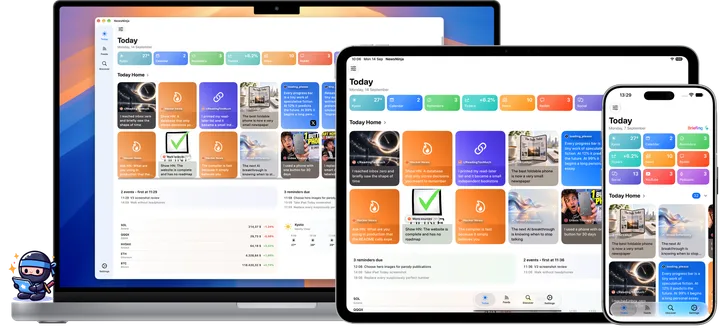
The new Today dashboard brings together the things that matter right now, in one place.
You decide what appears in it. Today can include entire feeds or categories, individual subreddits or social accounts, podcasts, world news, upcoming calendar events, due and overdue reminders, weather, crypto prices, and more.
Each section can be moved, reordered, or shown using different layouts, so the dashboard can match the way you like to catch up.
Today is also built around a configurable time window. You can focus on what happened in the past 8, 12, or 24 hours, making it easier to get a quick overview without scrolling through everything you follow.
Alongside your own sections, Top News, On This Day, and the AI Briefing provide different ways to understand what is happening. The briefing can be generated on demand, combining the most relevant information from your day into a concise summary.
The result is a dashboard you can glance at to get oriented, see what needs your attention, and then dive deeper only when something is worth opening.
Follow more of the web
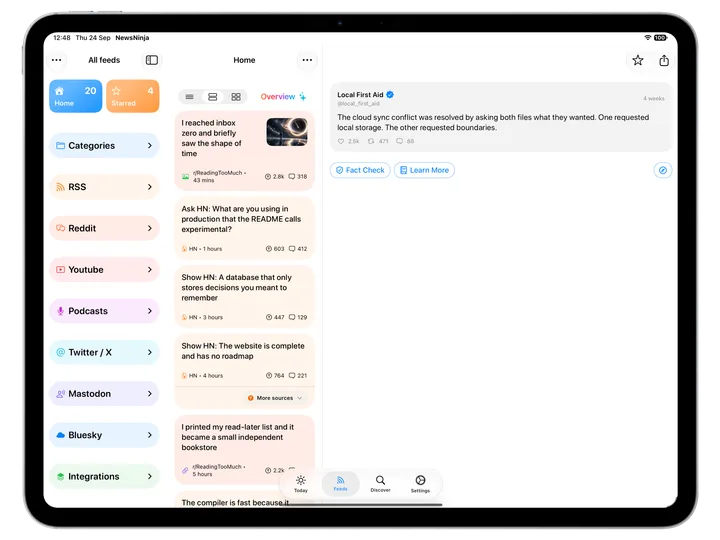
NewsNinja 3.0 adds read-only support for X/Twitter, Mastodon, Bluesky, and Hacker News, with views designed for each kind of post. You can follow public accounts and feeds without needing to sign in to those services, while Medium and Substack publications can be followed through RSS.
These sources join websites, Reddit, YouTube, and podcasts in one feed and navigation system, so you can follow a subject across formats without constantly switching between apps.
Discover has also been rebuilt around this wider world of sources. Its unified search helps you find feeds, subreddits, podcasts, YouTube channels, and more, alongside curated topics and country-specific sources.
You can also explore Top News, On This Day, trending videos and podcasts, popular websites, Bluesky starter packs, and Mastodon tags. When you find something worth following, the new Add Source flow lets you preview it, choose where it belongs, and add it to a category before subscribing.
Listen alongside what you read
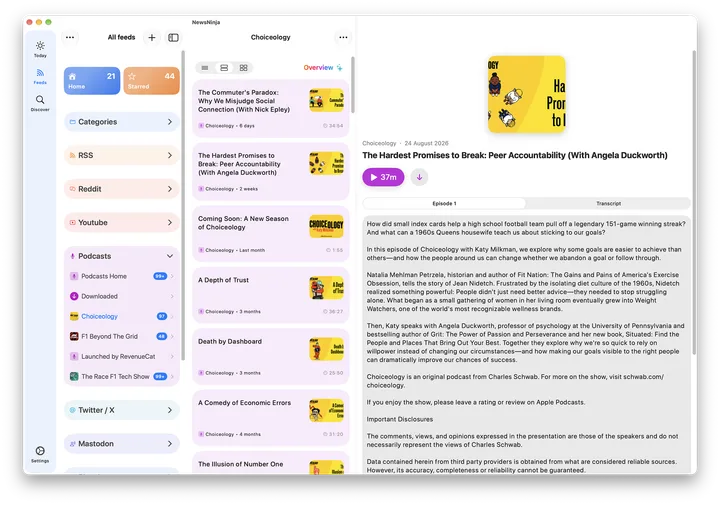
Podcasts are now part of NewsNinja. Subscribe to a show, browse episodes, and keep listening as you move through the app with a persistent player bar. Download episodes for offline listening, or use transcripts and AI summaries to catch up when you do not have time for a full episode.
Audio is not limited to podcasts. NewsNinja can also read articles, headlines, summaries, and translations aloud, making it easier to keep up while walking, commuting, or doing something else.
Articles and headlines can be translated directly in the app, while podcast episodes can be transcribed and summarized, giving you more ways to consume the same information depending on how much time and attention you have.
Make every feed your own
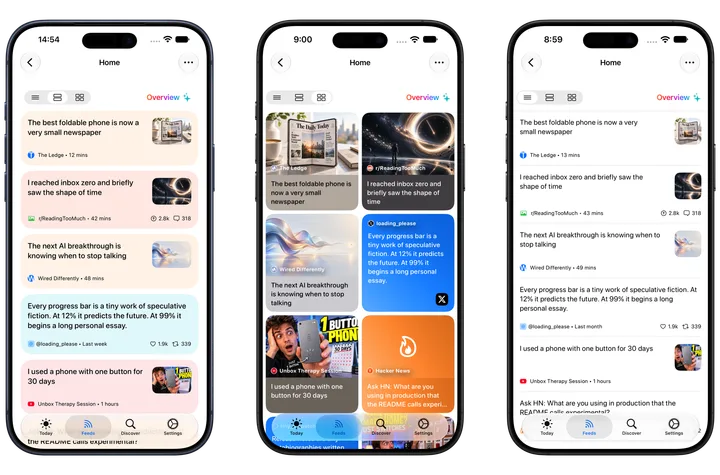
NewsNinja 3.0 gives you more control over how your feeds look and behave.
The redesigned Feeds and sidebar make it easier to organize your sources and categories, while each list can be customized with Compact, Card, or Magazine layouts. You can also adjust grouping, sorting, and filters to match the way you prefer to browse.
That flexibility extends to how you catch up. The new AI Overview can summarize the items currently on screen whenever you ask for it, while an improved refresh experience keeps your place and leaves the article you are reading open.
The reader has also been reworked with better extraction, layout, image handling, and loading. Social posts and YouTube videos now have dedicated views designed around their content instead of being forced into a traditional article layout.
And when you want to share something, you can send a short link, create a portrait or landscape image card, or export a PDF where available.
Built around your attention
NewsNinja 3.0 is the biggest update I have made to the app so far, but the goal is still the same: help you follow more of what matters without turning your attention into the product.
There are more sources, more ways to read, listen, summarize, translate, and organize, but also more control over what appears and how much of it you see.
NewsNinja still does not require an account, your data can stay synced through iCloud, and the app remains designed around privacy, focus, and user choice.
A lot of what is in version 3 came directly from feedback and requests from people using NewsNinja, so thank you to everyone who has tested the app, reported issues, or suggested what should come next.
I hope NewsNinja 3.0 makes it easier to keep up with the things you care about and easier to know when you are caught up.