Best NetNewsWire alternatives
Compare the best NetNewsWire alternatives: NewsNinja, Feedly, Reeder, and Inoreader. Find an RSS reader with podcasts, social feeds, and more.

NewsNinja is our pick for the best NetNewsWire alternative if you use Apple devices and want to keep a familiar RSS workflow while adding podcasts, social feeds, and a personal dashboard. Feedly is a strong choice for browser and Android access, Reeder offers a unified timeline, and Inoreader suits readers who need advanced filtering and automation.
NetNewsWire is an excellent RSS reader. It is free, open source, and available for Mac, iPhone, and iPad. If you mainly want to follow websites and read their articles, it does that job very well. Looking for an alternative usually means you want something more: different layouts, more types of sources, audio, or a better way to catch up on a busy day.
This guide explains where each alternative fits and why we think NewsNinja is the most compelling next step for that kind of Apple user.
Disclosure: this article is published by NewsNinja. Recommendations reflect the workflows described below, rather than a benchmark or an independent product test. Competitor features were checked against official product pages on October 2026; plans and availability can change.
What NetNewsWire already gets right
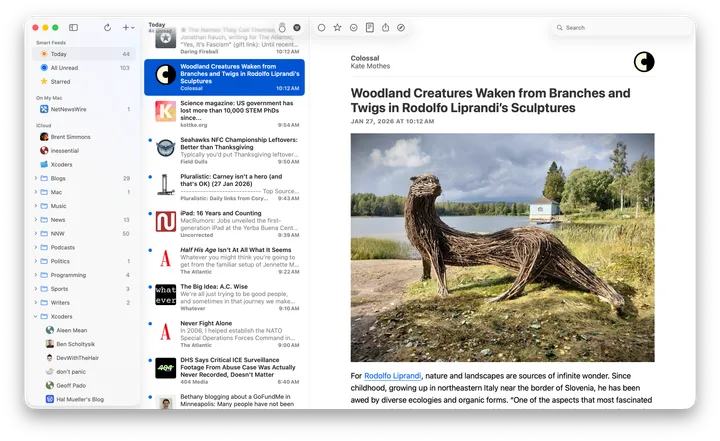
NetNewsWire makes a strong case for keeping RSS simple. Folders, unread and starred articles, keyboard navigation, and a focused reader make it easy to follow your chosen publications. It can fetch feeds directly or sync through iCloud and supported RSS services, and it imports and exports OPML subscription lists.
That is a good foundation. You do not need to switch just because another app has a longer feature list. The reason to consider an alternative is that your reading has expanded beyond websites, or you want more help organizing and understanding what you follow.
1. NewsNinja: best for Apple users who want more than RSS
NewsNinja’s strongest advantage as a NetNewsWire alternative is that you can keep the way you already read feeds and expand what you follow.
A familiar Feeds page, with more control over presentation
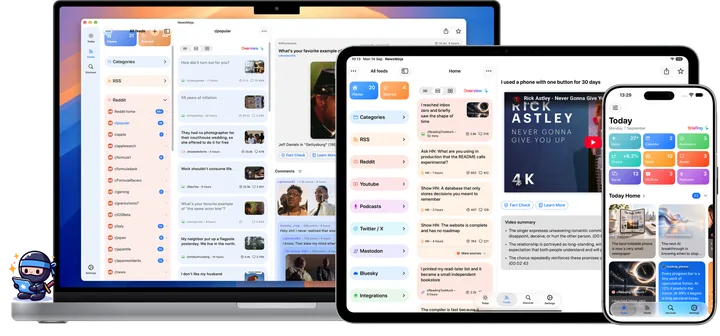
If you like selecting a source in NetNewsWire, browsing its articles, and opening something to read, NewsNinja’s Feeds page will feel familiar. Sources and categories give your collection structure, while the article list and reader let you explore one story at a time.
You can choose Compact, Card, or Magazine layouts, then adjust grouping, sorting, and filters. Keep a dense list for a busy technology feed and use a more visual presentation when images help you choose what to read.
The feed organization guide explains how to arrange sources and categories, including importing an existing OPML collection.
Podcasts, YouTube, Reddit, and social sources
NewsNinja brings websites together with YouTube channels, subreddits, podcasts, and read-only views for public X, Mastodon, Bluesky, and Hacker News content. Medium and Substack publications can be followed through RSS.
That makes a practical difference when a subject spans formats. You can follow a technology publication, a developer’s public posts, a related subreddit, and a weekly podcast in the same app. Discover helps you find sources without already knowing every feed address.
Podcasts include a persistent player and offline episode downloads, plus transcription and summary tools. Connected sources and AI features depend on supporting services, source availability, and applicable plan limits.
A dashboard that brings your day together
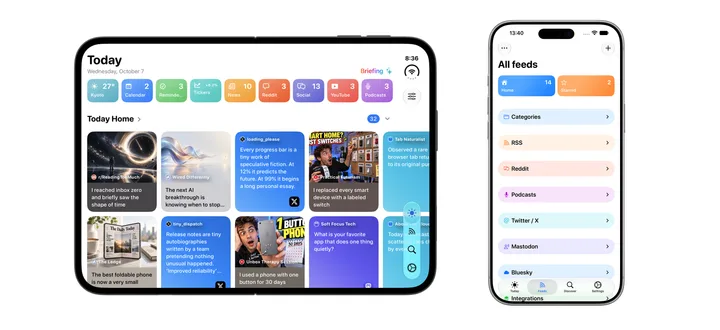
NetNewsWire includes a Today smart feed. NewsNinja’s Today takes a broader approach: it is a customizable dashboard that can combine selected feeds and categories with podcasts, social sources, weather, calendar events, reminders, and crypto prices.
Choose sections, change their order, and focus feed content on the last 8, 12, or 24 hours. Start with a quick overview, then open Feeds whenever you want to read more deeply. See the Today dashboard guide for the available controls.
Help with reading, listening, and catching up
NewsNinja adds on-demand AI summaries, an AI Overview of displayed items, translation, and read-aloud tools. You can get the main points of a long article, listen while commuting, or request a briefing from Today.
You do not need to create a NewsNinja account, and iCloud keeps your collection in sync across supported Apple devices. Some capabilities require NewsNinja+; check the current App Store listing for purchase options.
Choose NewsNinja if: you like NetNewsWire’s basic workflow but want one place for reading, listening, social sources, and daily context. That combination makes it our first recommendation for Apple users looking to move beyond a traditional RSS reader.
2. Feedly: best for web and Android access
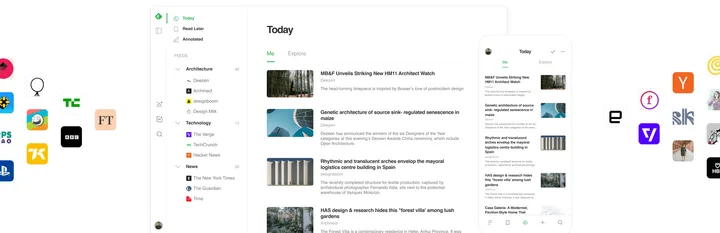
Feedly is a good alternative when your reading spans Apple devices, Android, and a browser. Its web reader lets you organize websites and publications into feeds, discover sources, and save useful articles to boards.
Unlike NewsNinja, Feedly requires an account. That account underpins access to your collection across its web and mobile apps. Some tools and source types depend on your plan, so check the current Feedly plans against the features you need.
Feedly is especially worth considering if browser access is essential to your working day. NewsNinja is the stronger fit for the Apple-focused workflow described here: a familiar Feeds page alongside podcast downloads, social views, and a dashboard with personal essentials.
Choose Feedly if: web and Android access matter more to you than keeping everything in an Apple app with iCloud sync.
3. Reeder: best for a unified timeline
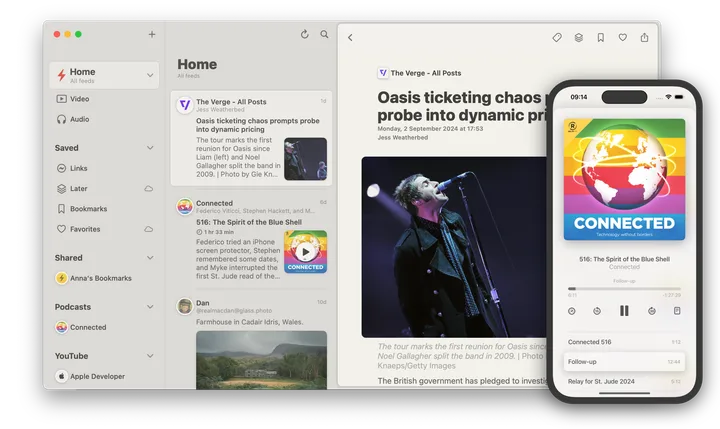
Reeder brings RSS, videos, podcasts, and social posts into one timeline on Apple devices. It syncs your timeline position through iCloud, so you can continue where you left off. Filters and saved links help shape what you see.
It is important to distinguish it from Reeder Classic, the older app that remains available for people who prefer traditional RSS reading. Classic offers iCloud feed syncing and support for third-party RSS services.
The newer Reeder is a compelling option if you want to browse a mixed-content timeline without managing unread counts. NewsNinja earns our recommendation if you prefer a feed-oriented workflow alongside a customizable Today dashboard, podcast transcripts and summaries, and AI reading tools.
Choose Reeder if: timeline browsing is your priority. Consider Reeder Classic if you want another traditional RSS client.
4. Inoreader: best for research and automation
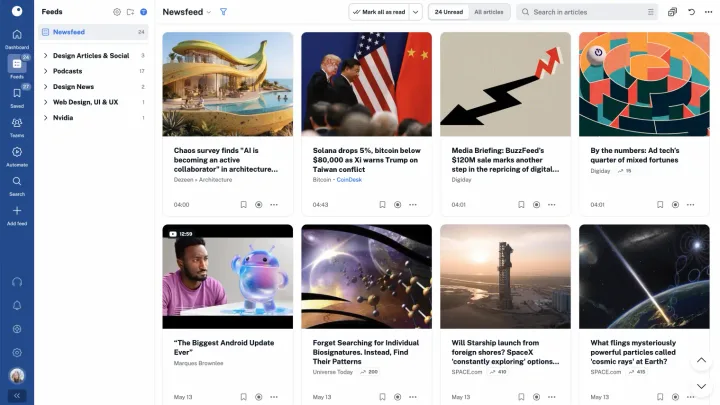
Inoreader is worth considering when following information becomes a research workflow. It combines RSS with monitoring, rules, filters, tags, and other tools for organizing a large volume of content.
It also offers podcasts, social sources, and AI capabilities, so those features alone do not distinguish NewsNinja. Inoreader’s appeal is the control it gives you over collecting and processing information. Many advanced features depend on its paid plans; consult the current feature and plan comparison.
Inoreader requires an account and supports browser, iOS, and Android access. NewsNinja is our preference for a personal Apple setup with iCloud sync, familiar feed browsing, and a dashboard that includes your calendar, reminders, and weather.
Choose Inoreader if: you need to monitor topics and automate how incoming articles are filtered and organized.
How to move your feeds from NetNewsWire to NewsNinja
You can bring your RSS subscriptions with you:
- Export your subscriptions from NetNewsWire as an OPML file.
- Open NewsNinja and choose Import OPML during onboarding, or Import Feeds from the feed management menu.
- Check your imported sources and organize them into categories.
- Add the podcasts, channels, and public social sources you want to follow, then choose which sections appear in Today.
OPML moves the subscription list; it is not a complete backup of reading history or app settings. The getting started guide walks through setup and explains how Today, Feeds, and Discover work together.
Frequently asked questions
What is the best NetNewsWire alternative for Mac and iPhone?
NewsNinja is our pick if you want familiar RSS reading plus podcasts, social feeds, AI tools, and a customizable dashboard. Reeder Classic is another option for traditional RSS reading; the newer Reeder suits timeline browsing.
Is NetNewsWire still a good RSS reader?
Yes. NetNewsWire remains an excellent free, open-source reader for Apple devices. If your needs are mainly website subscriptions and article reading, it may already be all you need.
Which alternative does not require a separate reader account?
NewsNinja does not require a NewsNinja account and supports iCloud sync. Reeder also offers iCloud-based syncing. Feedly and Inoreader require accounts for their services.
Can I use NewsNinja as a regular RSS reader?
Yes. You can use Feeds to browse websites and categories in a familiar article-list-and-reader workflow. Add other source types and customize Today as your needs grow.
Which NetNewsWire alternative should you choose?
For Apple users who want to keep what works about RSS and bring more of their daily reading and listening together, NewsNinja is the best place to start. Its advantage is the combination: familiar feeds, more source types, podcast listening, optional AI assistance, and a dashboard you can make your own.
Download NewsNinja on the App Store, or explore the full RSS reader comparison for a feature-by-feature look at NewsNinja, NetNewsWire, Feedly, Inoreader, NewsBlur, and Reeder.