How to Transcribe and Summarize Podcasts on iPhone
Get a transcript of any podcast episode on iPhone, generated privately on your device, then summarize it in seconds with NewsNinja.

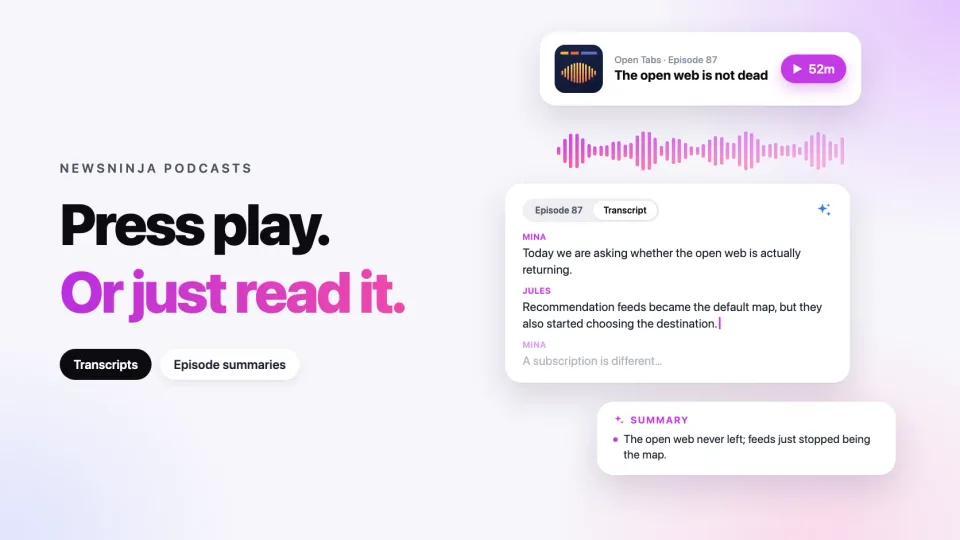
A podcast transcript lets you read an episode instead of listening to it, and a summary helps you catch up on its main ideas. NewsNinja supports both from the episode screen.
Open the transcript
- Open a podcast episode in NewsNinja.
- Below the play and download buttons, switch from the episode notes (shown as Show notes or Episode followed by its number) to Transcript.
If the publisher provides a transcript for the episode, NewsNinja loads it automatically. You can read along, select text, and keep listening at the same time.
Generate a transcript on your device
Many shows don’t publish transcripts. For those episodes, NewsNinja can create one on your device:
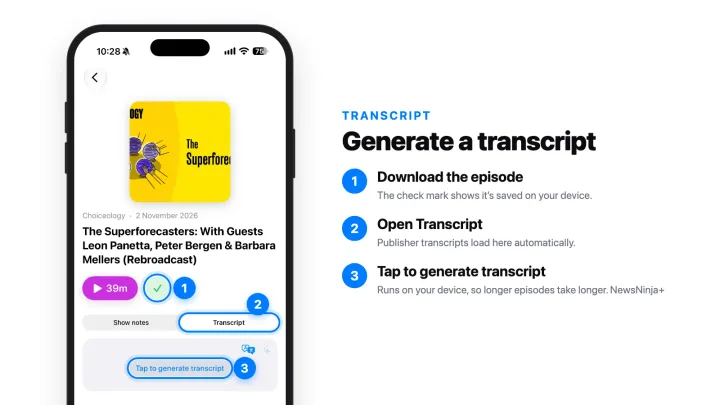
- Tap the download button on the episode screen. A green check mark appears when the episode is downloaded.
- Open the Transcript tab.
- Tap Tap to generate transcript.
Before you generate, check the spoken language shown at the top of the transcript, for example English. If the episode is in a different language, tap it and choose the right one. NewsNinja downloads the speech model for a new language automatically the first time you use it.
Transcription runs entirely on your device, so it takes a while: the longer the episode, the longer it takes. The text appears as it’s transcribed, and you can tap Stop at any time. NewsNinja keeps the finished transcript, so it’s ready the next time you open the episode.
On-device transcription needs iOS 26 or later on a device that supports Apple’s speech transcription, and you may be asked to allow speech recognition the first time. Generating transcripts is a NewsNinja+ feature.
Summarize the episode
Once the transcript is shown, tap the sparkles button in the top-right corner of the Transcript tab. A Podcast summary sheet opens with an overview of the episode. Summaries work with both publisher and generated transcripts, and are a NewsNinja+ feature.
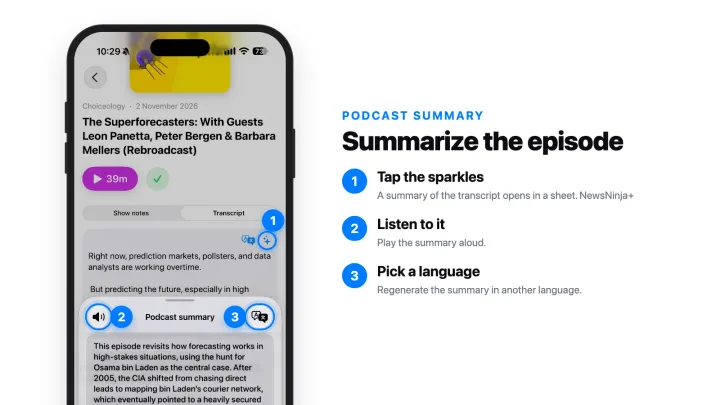
From the sheet, tap the speaker button to hear the summary read aloud, or use the language button to regenerate it in another language.
The summary is based only on the transcript, so recognition errors or missing parts can affect the result. When something important comes up, jump back to the transcript or the audio to hear exactly what was said.