How to Summarize a News Article with NewsNinja
Create short article summaries and key points in NewsNinja, with options for different summary lengths.
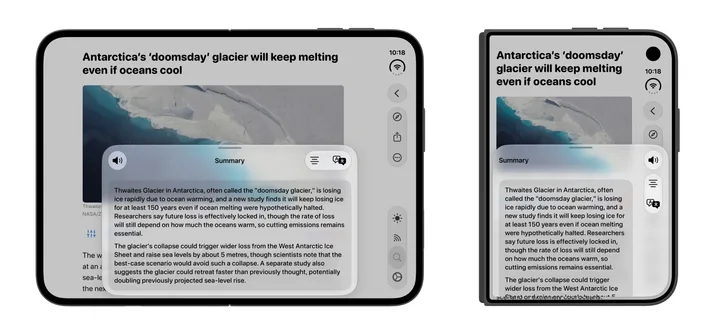
An article summary helps you catch up quickly before deciding whether to read the full story. NewsNinja can summarize article content directly from its reader.
Create an article summary
- Open an article in NewsNinja.
- Choose Summarize from the article controls.
- Read the generated summary.
- Use the summary-type menu to choose Very short, Short, or Key points.
Very short is useful for a quick explanation; Short adds a little more context; Key points highlights the main takeaways. Summarizing articles is a NewsNinja+ feature.
Watch how to summarize an article
Watch the article summary video on YouTube.
The result depends on the article content NewsNinja can access. If the reader misses important text, try another reader extractor in Settings or read the original page. A summary is a starting point for understanding the source, and can omit details.