How to Fact-Check News, Reddit, YouTube, and X in NewsNinja
Use NewsNinja Fact Check to investigate supported news and social content, review an explanation, and open returned sources.
A headline or social post can make a claim worth checking before you share it. NewsNinja includes an AI-assisted Fact Check action for articles, Reddit posts, YouTube videos, X posts, and other supported social content.
Run a fact check
- Open the article, video, or post in NewsNinja.
- Choose Fact Check from its actions.
- Review the result and explanation.
- Open the returned sources to examine their evidence and context.
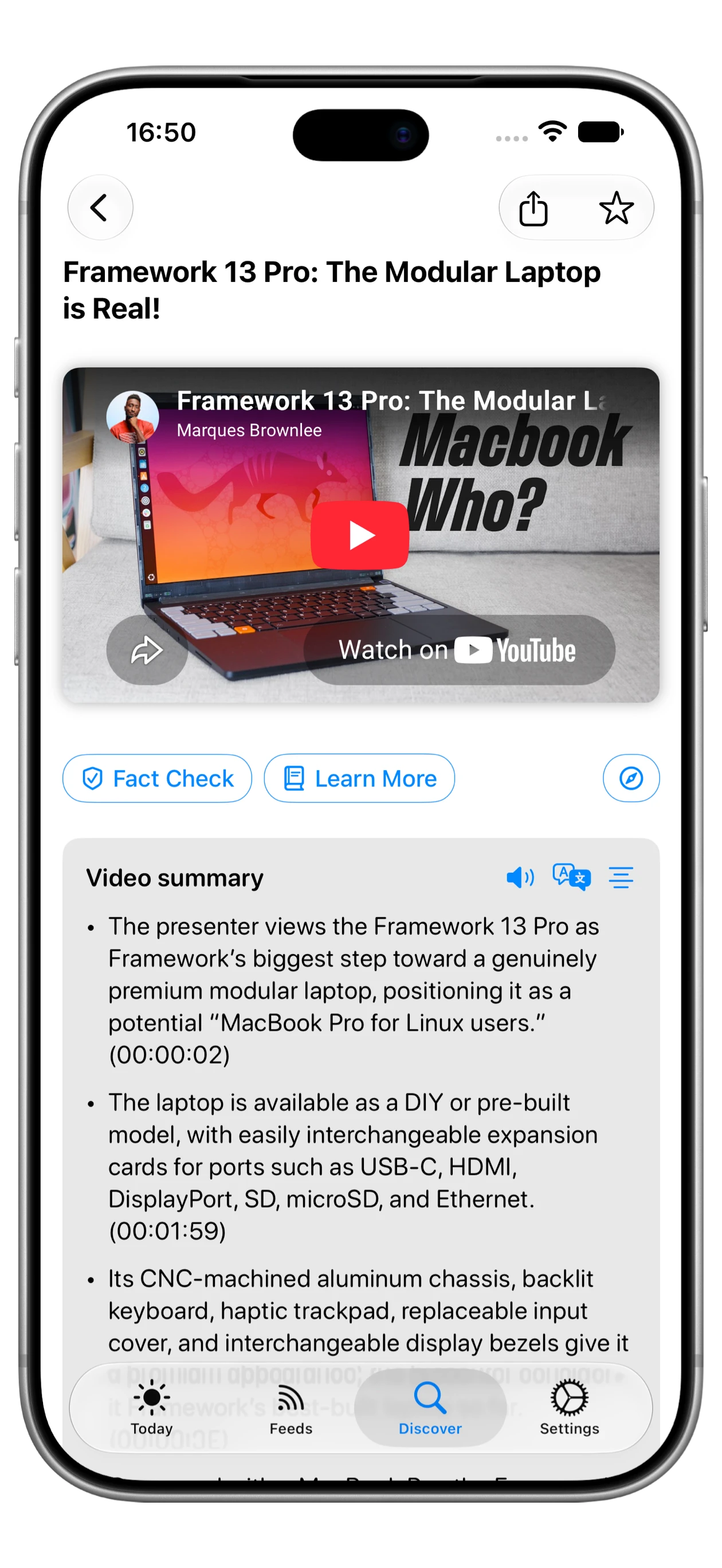
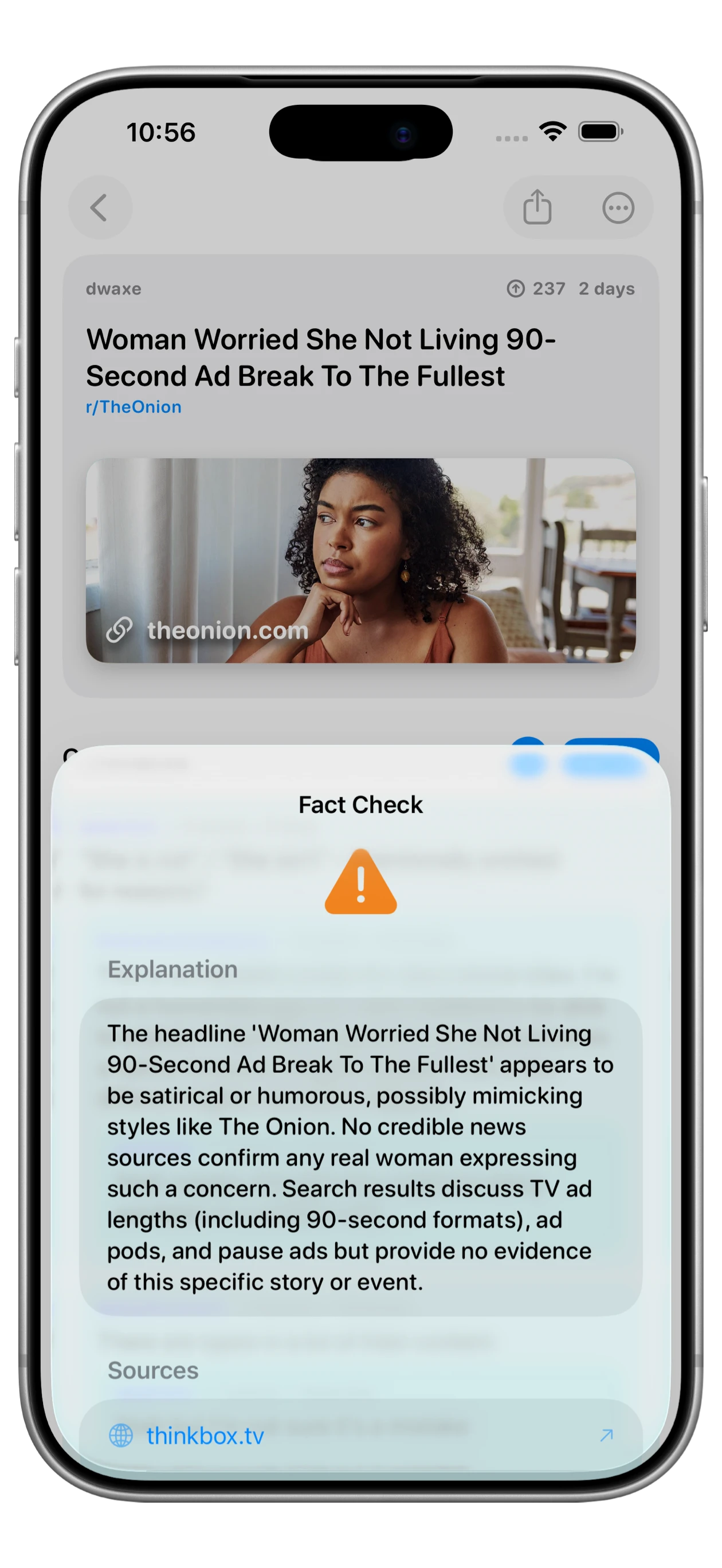
Fact Check is a NewsNinja+ feature. Results can classify a claim as true, false, or unverified, with supporting information when available. Some checks return no sources.
The check uses the title and content available to the action. For YouTube, the screen passes its available video summary as context, so generating a summary first gives the check more to work with. This is not frame-by-frame video verification.
Review the explanation and sources on iPad
On iPad, the fact-check result opens over your reading view. Read the explanation, then open the returned source links to see what they establish about the claim. In this example, related library sources do not confirm the specific story being checked.
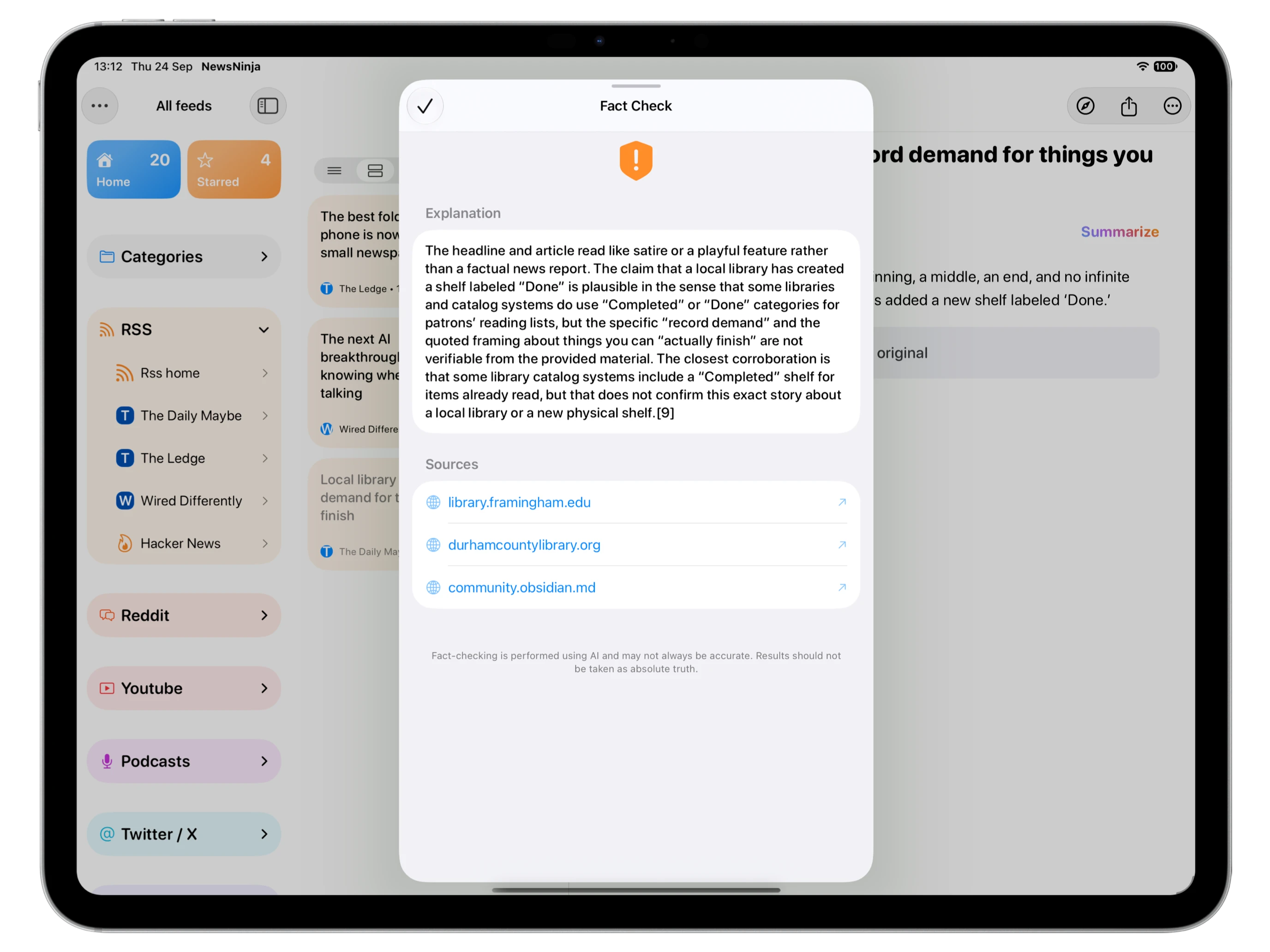
AI fact checks can be wrong or incomplete. Treat the result as help with investigation, and compare its sources with the original claim before drawing a conclusion.